aSc TimeTables - Online Help
|
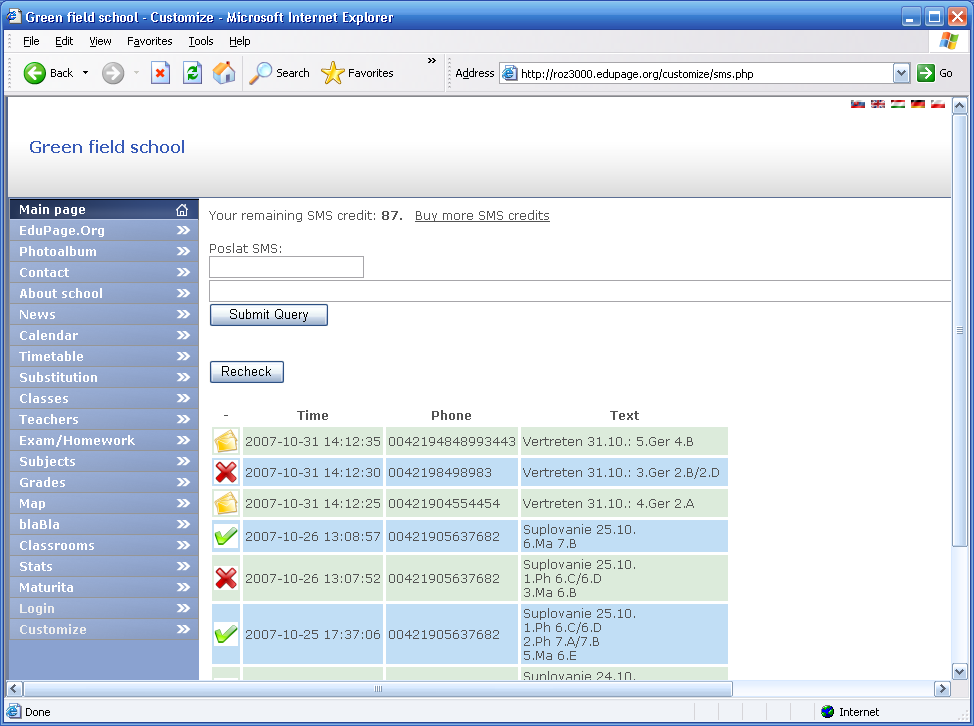
This article is available in:       You can view all emails or SMS messages you have sent from aSc Substitutions. Go to control panel section Email/SMS history. A screen with all SMS/Email messages will appear. For SMS messages you can also see the actual delivery status. You can see if the SMS has already reached the teachers mobile:
See also:
This article was viewed 104623 times.76860 / 104623
|
 Deutsch
 España
 Francais
 Čeština
 Romanian
 Arabic
 Português
 Indonesian
 Croatian
 Serbia
 Farsi
Farsi Hebrew
 Mongolian
 Bulgarian
 Georgia